

32008 views
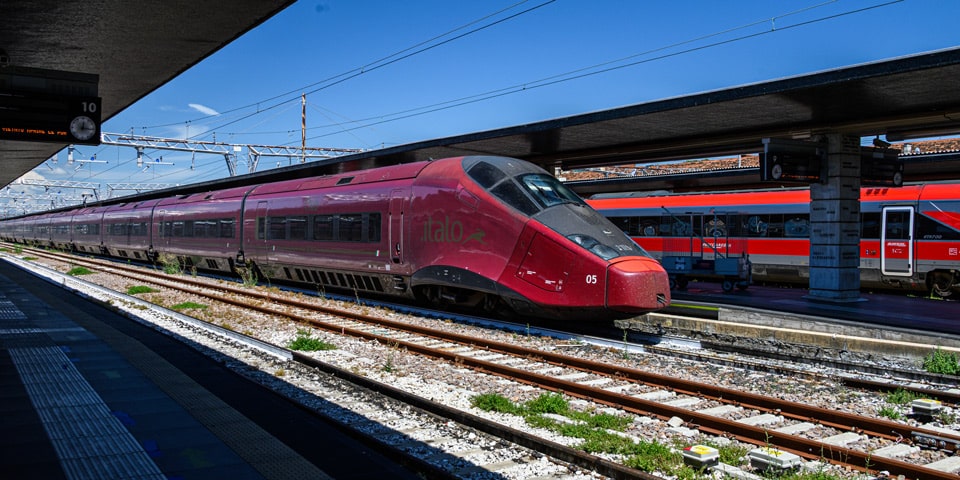
The official italotreno.com website is available in English and Italian. Italo is a private high-speed train operator in Italy and a genuine alternative to Trenitalia on major city-to-city routes. I always compare the two before booking, because the better option changes with the route, the departure time, the price, the station, and the ticket conditions — there’s no single winner.
If you’re traveling between Rome, Florence, Milan, Venice, Naples, Bologna, Turin, Verona, or Salerno, Italo is worth a look. On many of the busiest high-speed routes it’s fast, comfortable, and priced competitively.
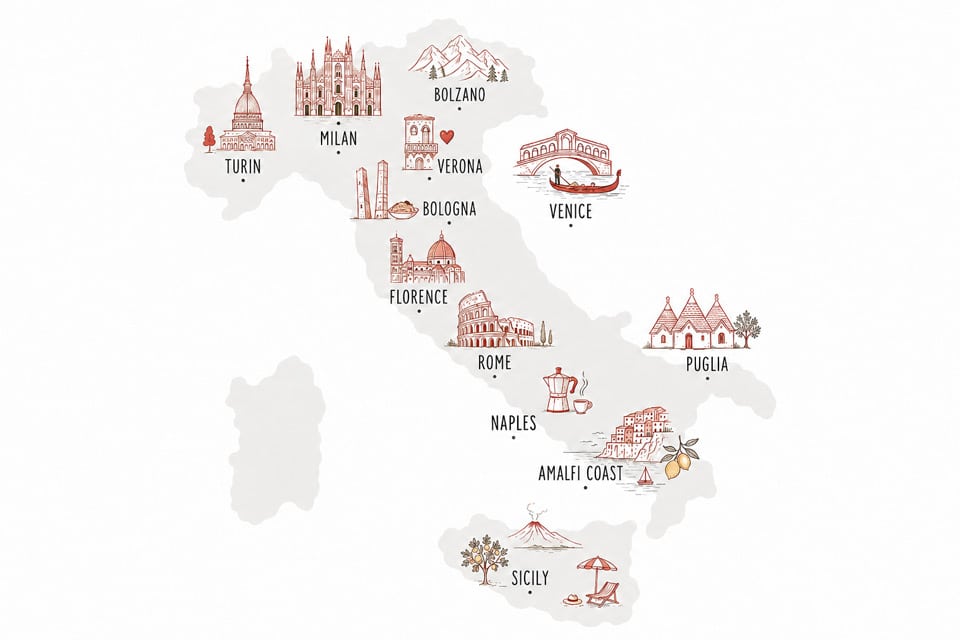
Italo runs to most of Italy’s main high-speed destinations, including Rome, Milan, Florence, Naples, Venice, Bologna, Turin, Verona, Padua, Reggio Emilia, Brescia, and Salerno. If you’re based in Rome, the routes you’ll use most are Rome–Florence, Rome–Naples, Rome–Milan, and Rome–Venice. Depending on the specific train, current Italo timetables run roughly 1 hour from Rome to Naples, about 1 hour 30 minutes from Rome to Florence, around 3 hours from Rome to Milan, and about 4 hours from Rome to Venice.
Some itineraries combine Italo high-speed trains with Itabus coaches, ferries, or regional rail. Before you pay, check whether your trip is direct or involves a transfer — it’s easy to miss on the results screen.
You don’t need to register to buy a ticket. You can book as a guest by entering your passenger details and an email address at checkout. An account only pays off if you travel in Italy often: it saves your details, keeps your tickets in one place, and makes changes easier to manage later.
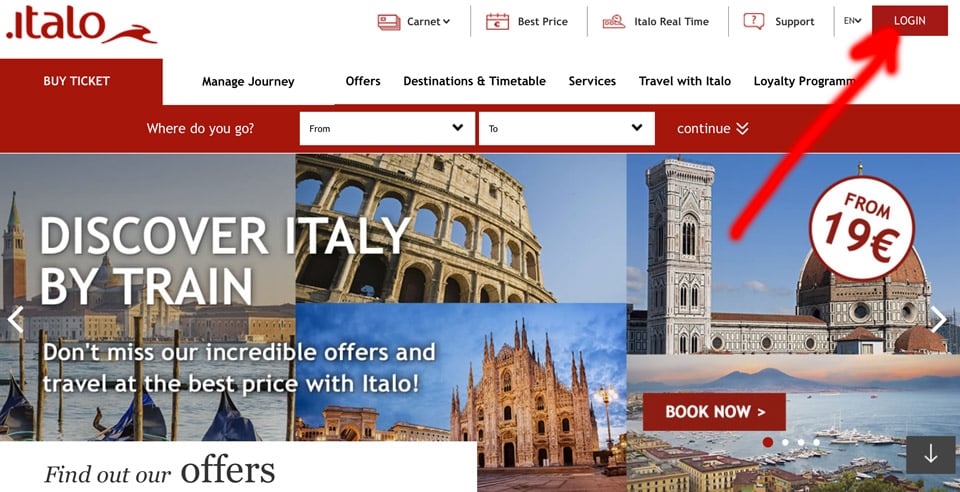
To create one, open the official website, switch to the English version if needed, and select the login or sign-up option in the upper-right corner. The layout shifts from time to time, but the process is straightforward.
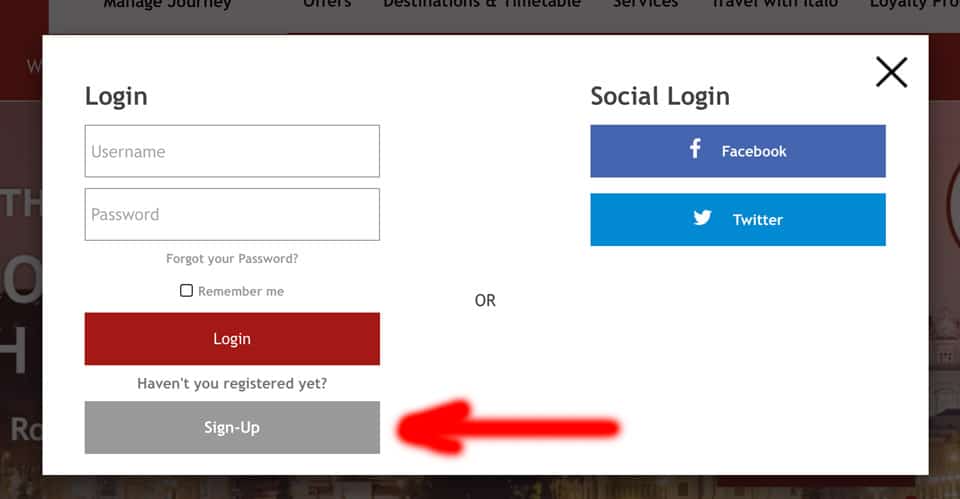
After choosing sign-up, fill in the required details and confirm your account. Once it’s set up, you can log in and buy or manage high-speed tickets from your profile.
Tip: Italo publishes discounts and promotional fares regularly. Check the official offers page, the app, or the newsletter before booking, especially if you’re planning well ahead.
Let’s take a Rome to Venice trip as an example. On the Italo website, pick one-way or return, then enter the departure city, arrival city, date, and number of passengers.
The results show several departures at different prices and journey times. Compare the departure station, arrival station, duration, number of stops, travel class, and fare conditions before committing to one. Note the currency switcher in the upper-right corner — you can display prices in US dollars, British pounds, or euros.
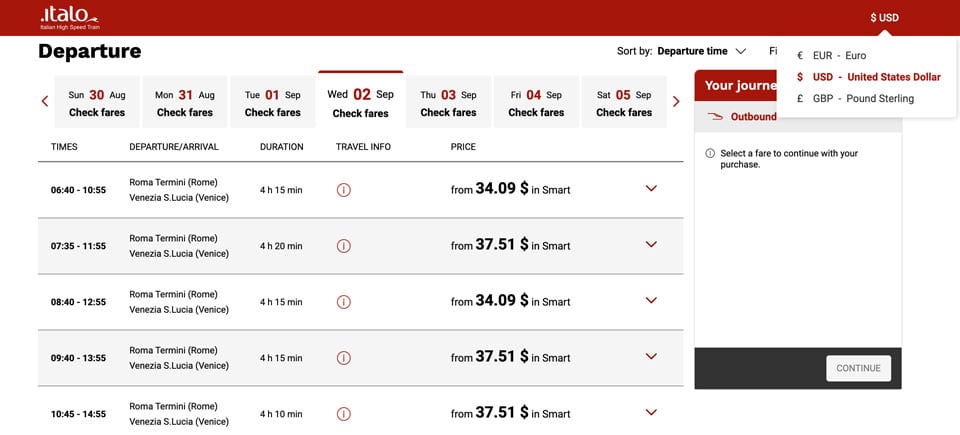
Two choices matter most here: the travel class and the fare type. The class sets your onboard comfort and services; the fare type decides how freely you can change or cancel the ticket. They’re independent of each other, and people often confuse them.
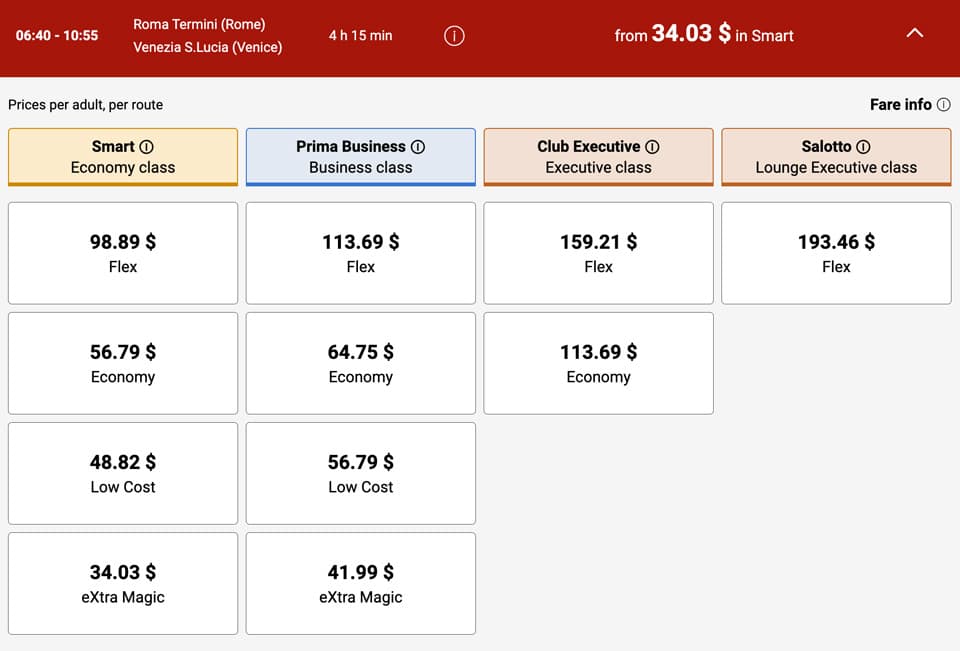
Occasionally Prima Business or even Club Executive turns up at a surprisingly good price during a promotion, so it’s worth checking the upgrade before defaulting to the cheapest seat. Book close to your travel date, though, and prices climb — the lowest fares are usually gone first.
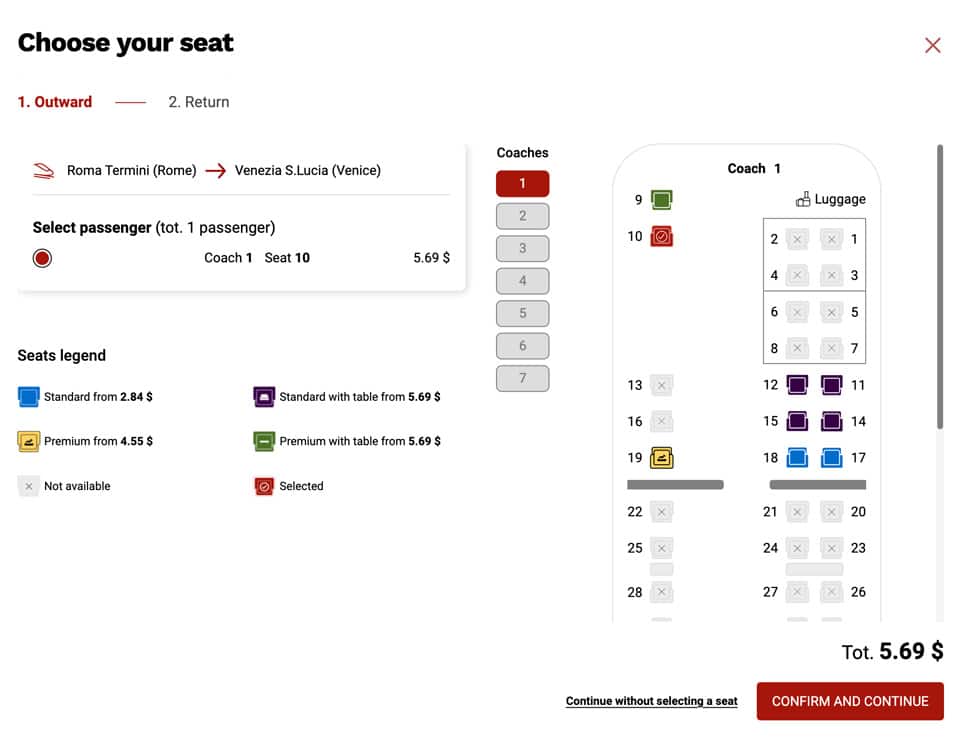
Once you’ve picked a train, enter the passenger details and move to payment. If seat selection is available for your train and fare, you can choose your seat during booking. Booking early gives you the widest choice of departure times, fares, and seats.
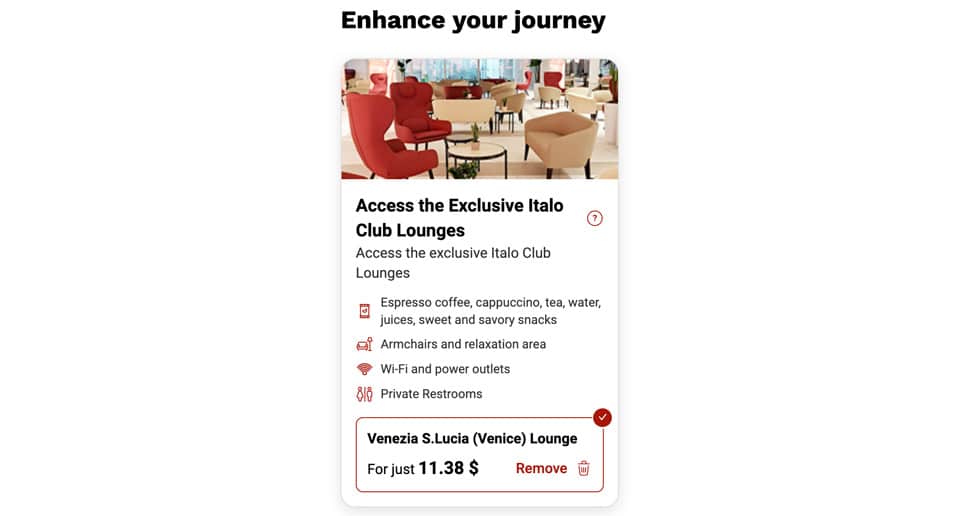
At some stations you can also buy a lounge access card on the day. I’d recommend it — for a quiet seat, a coffee, and a clean bathroom before a long trip, it’s worth the money.
Italo prices are dynamic, so headline examples like “Rome to Milan for €19.90” or “Venice to Rome for €9.90” are occasional promotional fares, not the norm. The real price depends on the route, the date, demand, the travel class, the fare type, and how early you book.
Before you pay, it’s worth being clear on the difference between the onboard classes and the ticket conditions — they’re two separate decisions.
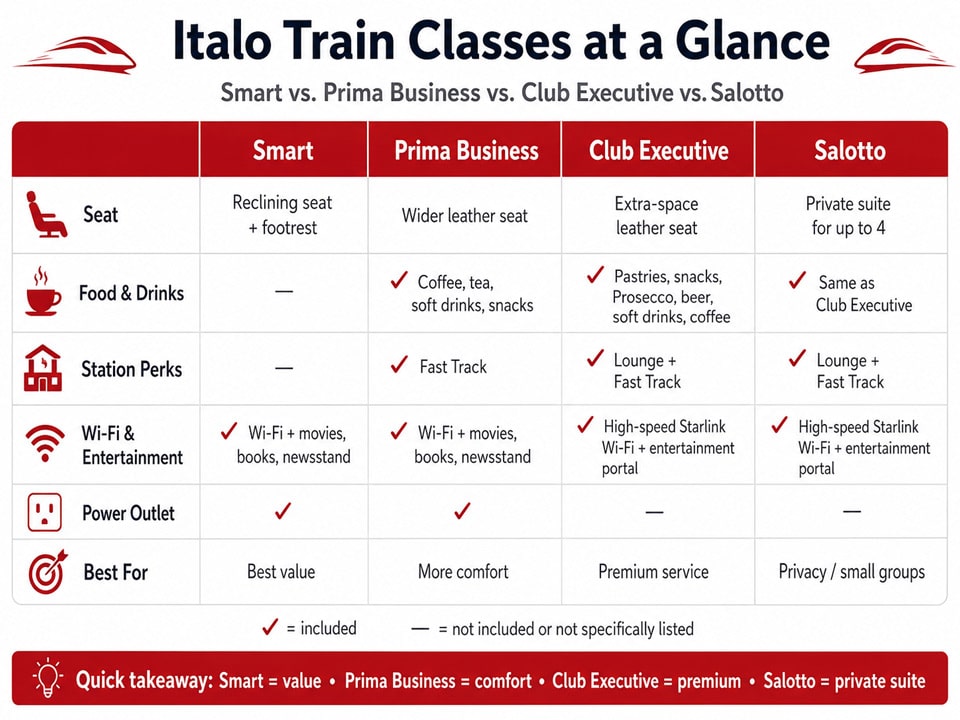
Fare types are a separate matter from the class. A Smart ticket, for instance, can be sold as Low Cost, Economy, or Flex depending on availability. Low Cost is the cheapest but least flexible; Economy balances price and flexibility; Flex costs more but is the easiest to change or partially refund. Whatever the class, open the fare conditions before you pay.
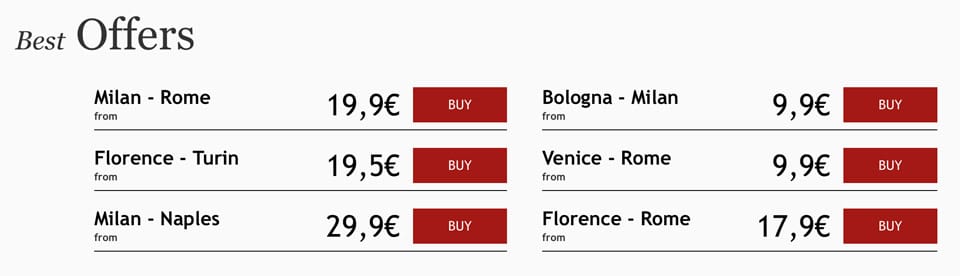
The most reliable way to save is simple: book early, and compare Italo against Trenitalia on the same route. Beyond that, Italo runs temporary offers tied to specific dates, routes, age groups, day-return trips, families, and small groups. These change often, so check the official offers section or the app before buying.
If you travel in Italy regularly, the newsletter is worth subscribing to. Promo codes help when they’re available, but they’re less dependable than simply booking ahead.
Whether you can change or refund an Italo ticket comes down to the fare type you chose at booking. To manage a ticket, go to the Manage bookings page and enter the passenger’s name, surname, and ticket code. If you booked while logged in, you can manage it from your account or the app instead.
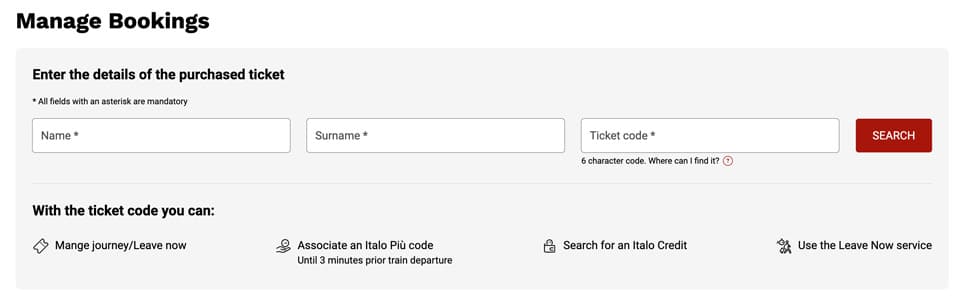
As a rule, Low Cost tickets are the least flexible, Economy allows changes for a fee, and Flex gives you the most room to maneuver. Flex can usually be changed right up close to departure, while cheaper fares have stricter deadlines and higher change costs. If your plans are at all uncertain, don’t reach for the cheapest fare on autopilot — read the conditions first.
Rome.us © 2026. Created with love by Roman experts and guides.